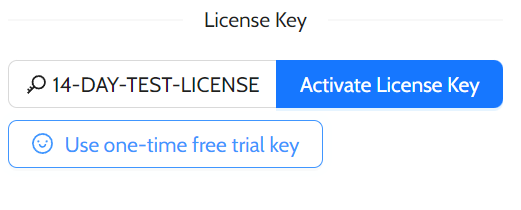
Thank you for choosing our software! We want to ensure you have a smooth experience from the moment of your trial and of purchase your license. This article will guide you through the process of receiving and activating your license key, as well as how to manage it if you need to change or format your computer.
### Trial Period
### Your purchased License Key
After you complete your purchase, you will receive an email containing your unique license key. This key is essential for activating your software and unlocking its full potential. Please check your inbox (and your spam/junk folder, just in case) for an email from us. If you do not receive it within a few minutes, feel free to reach out to our customer support team for assistance.
### Activating Your License Key
When you start the software for the first time, you will be prompted to enter your license key. Simply copy the key from your email and paste it into the designated field (be sure you did not copied any extra spaces or new lines)
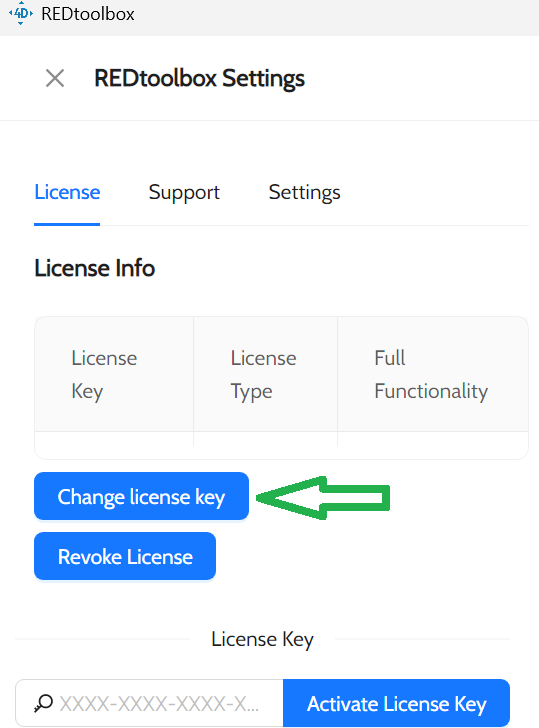
If you miss this prompt or if you are still on a trial, don’t worry! You can activate your license at any time by going to **Settings** and selecting **Change License Key**. Enter your key there, and you’ll be all set to enjoy the full features of our software.
Was this article helpful?
That’s Great!
Thank you for your feedback
Sorry! We couldn't be helpful
Thank you for your feedback
Feedback sent
We appreciate your effort and will try to fix the article