- Open an empty Metashape project and save it as *.psx
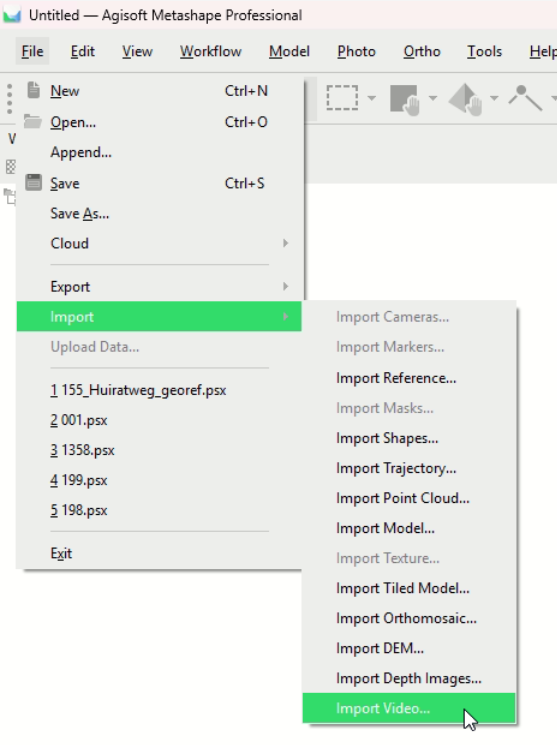
- Import the video
 Define an output folder and choose the option how the frames are extracted. Small/Medium/Large refer to an automatic step size recognition. Whereas entering a step number, these is the time gap between two frames. So "3" equals 3seconds between each frame.
The extracted frames are automatically imported into Metashape project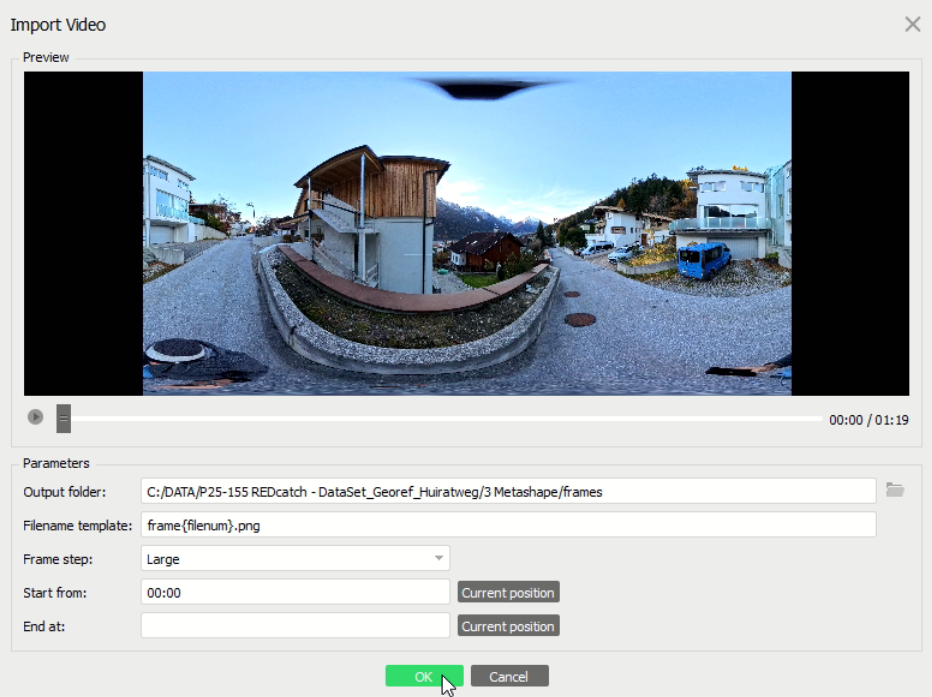
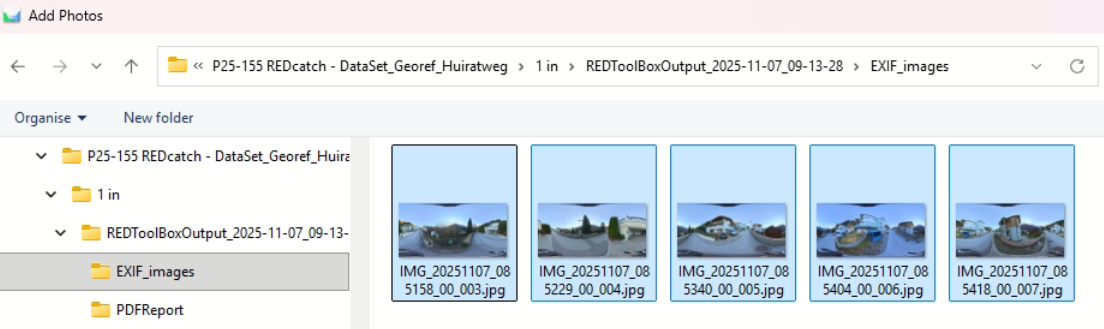
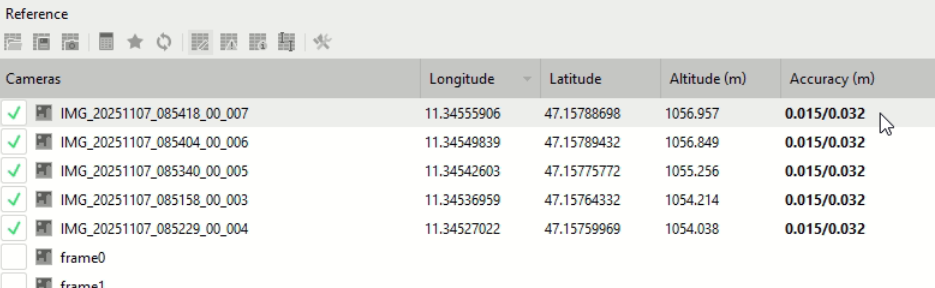
- Import geotagged photos from REDtoolbox EXIF (or alternative: *.txt) output
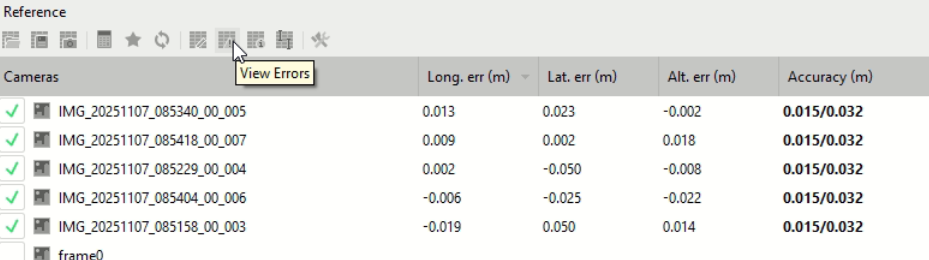
and check if they are imported correctly, including accuracy information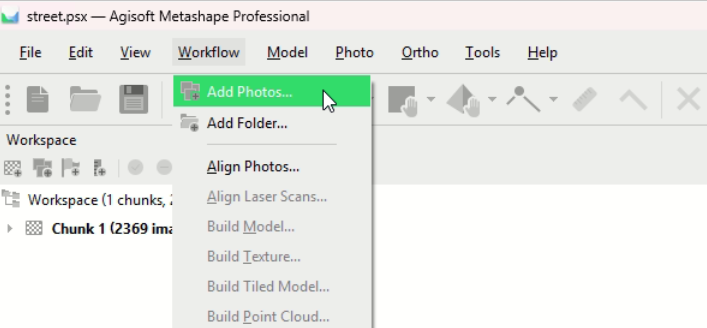
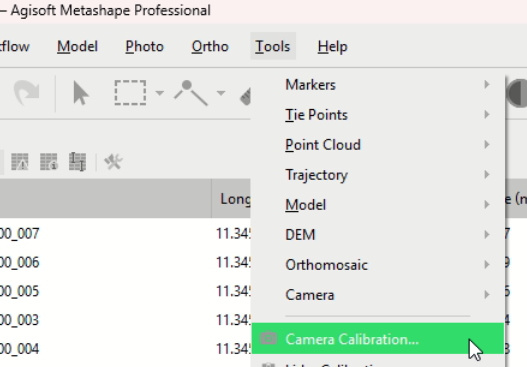
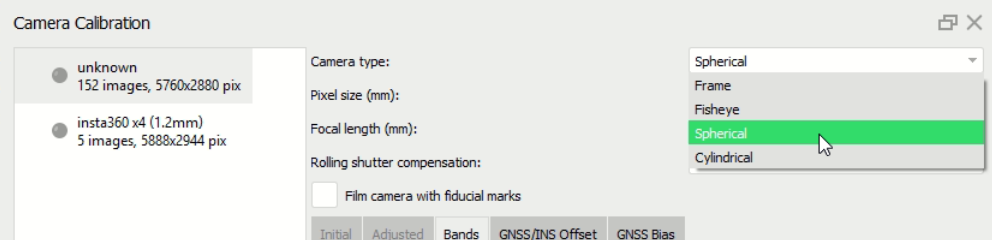
- Change camera type to spherical for ALL spherical photos
- Define masks (optional)
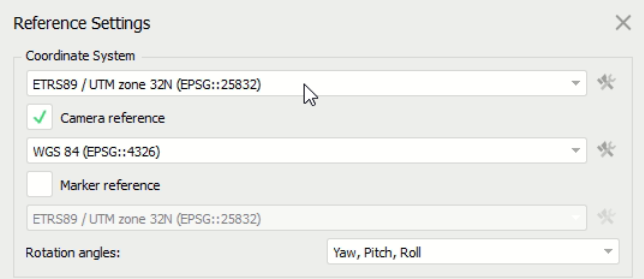
The idea of defining a mask is simple: You get yourself out of the data set. As you already noticed, you and your phone are visible in every photo. If you did not rotate the selfie-stick during your field work, and always keep the same lens away from your face at the same position, then the position of you in the photos do not change. You can mask them out easily by defining the mask in one photo, export it as mask.png and import this mask for all photos again. - Set your projected coordinate systems (eg. UTM)
- Align all photos
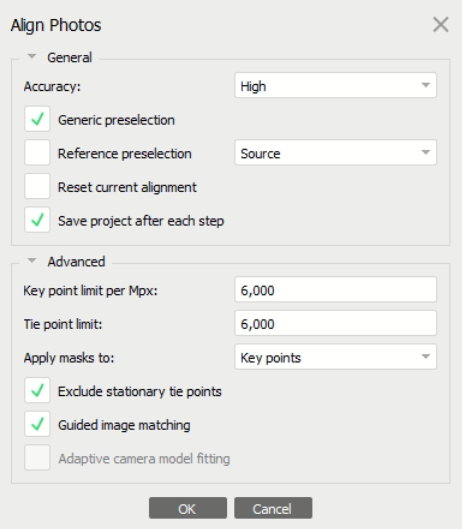
- Check Accuracies of the Geotagged Photos
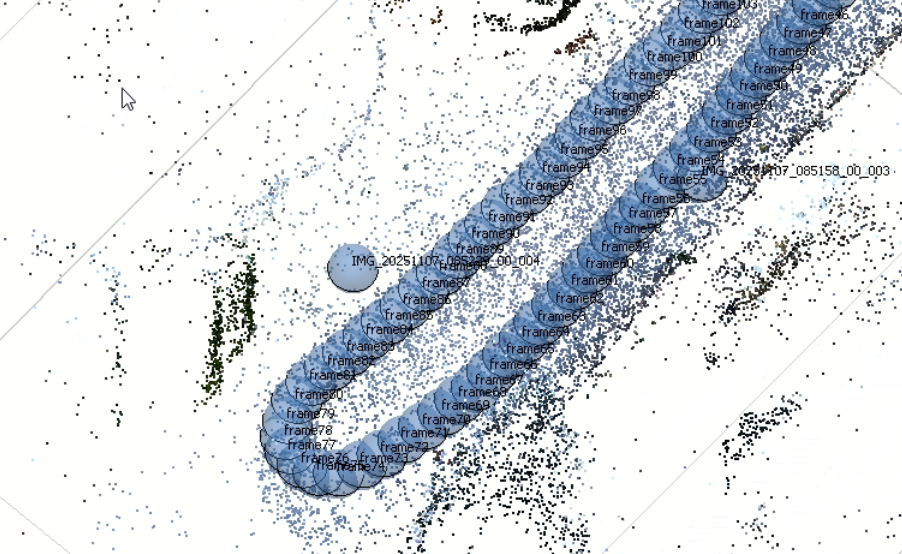
- Shift+Mouse wheel = Size of (blue) camera spheres display
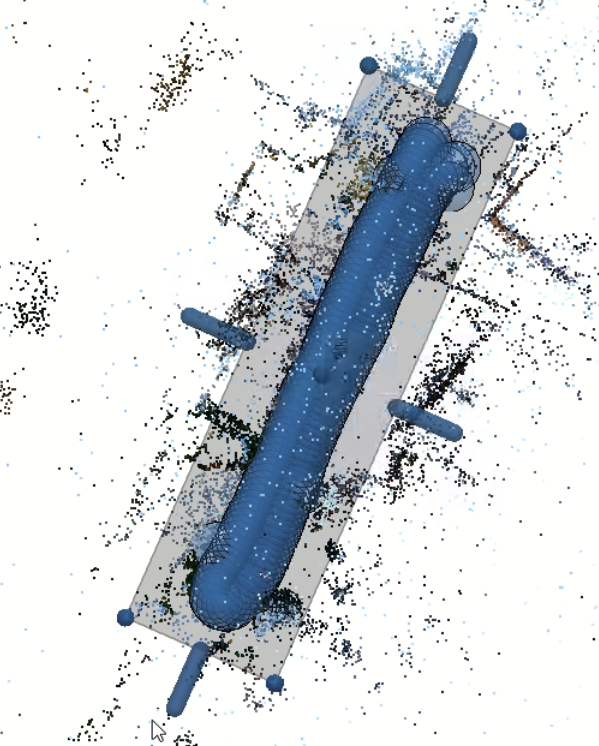
- Optimize the Region (size+rotation)
Use "5" on keyboard to switch from Perspective to Orthographic view. And "7" to look top down. This will help you to define a good region size for your project area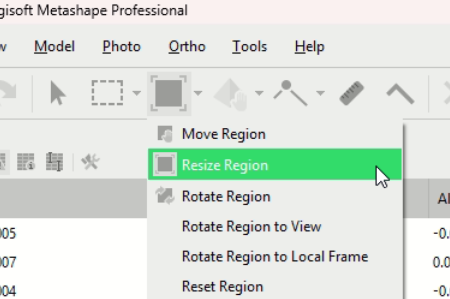
- For calculation the Orthophoto, we suggest calculating Mesh + clean the Mesh (eg. remove trees to get Orthophoto below trees). And then calculate Orthophoto based on this Mesh. Our suggested workflow for getting best results:
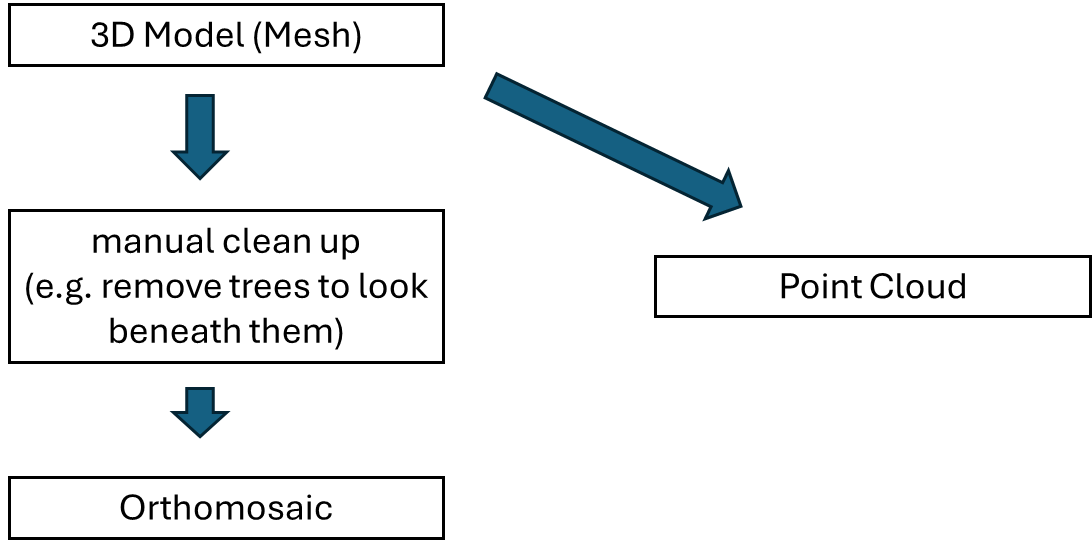
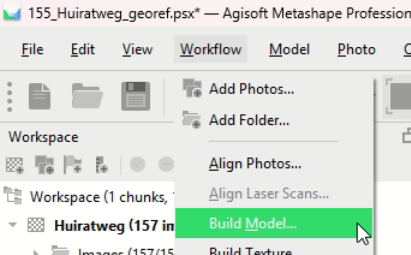
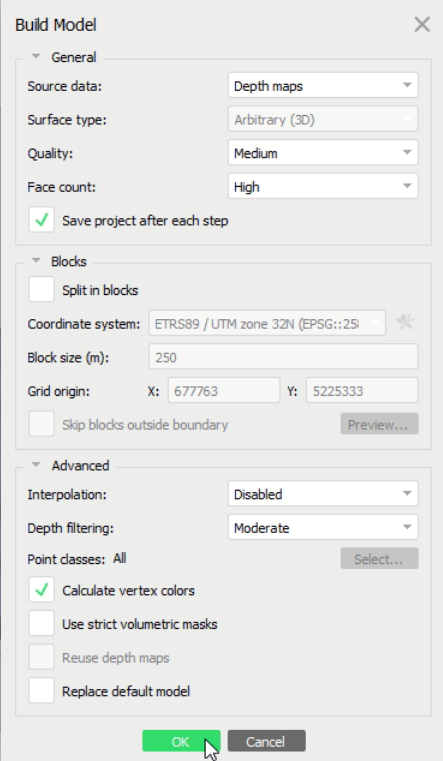
- So first, build the Model (mesh)
- Clean up the result by selecting the unwanted mesh faces and press DEL on the keyboard.
If you like to have an Orthomosaic beneath trees, delete these trees :)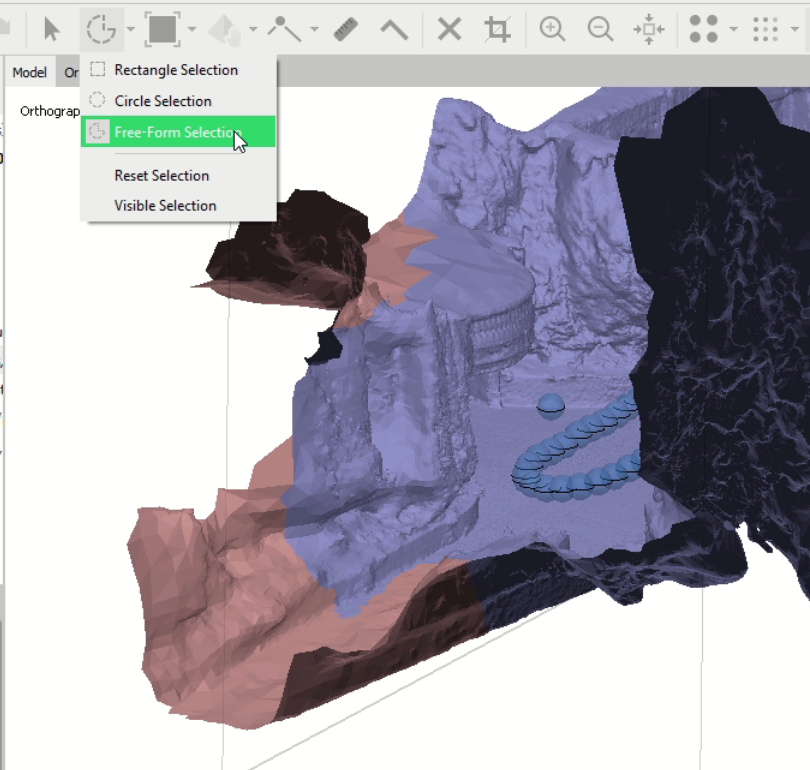
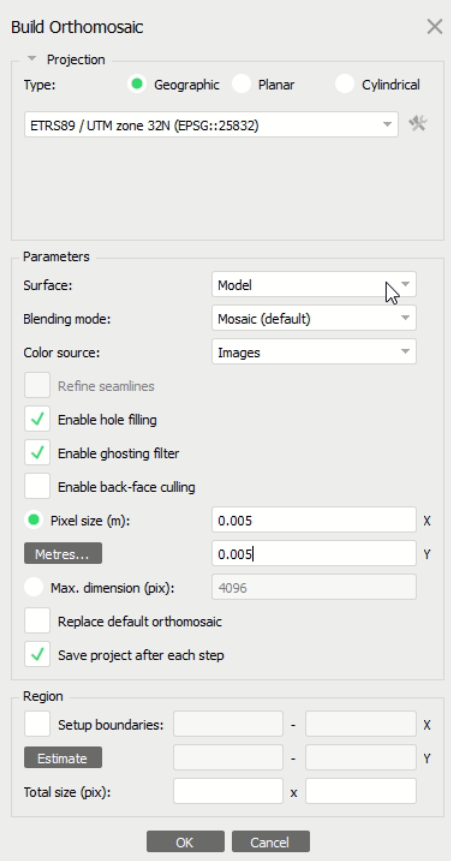
- Now, build the Orthomosaic
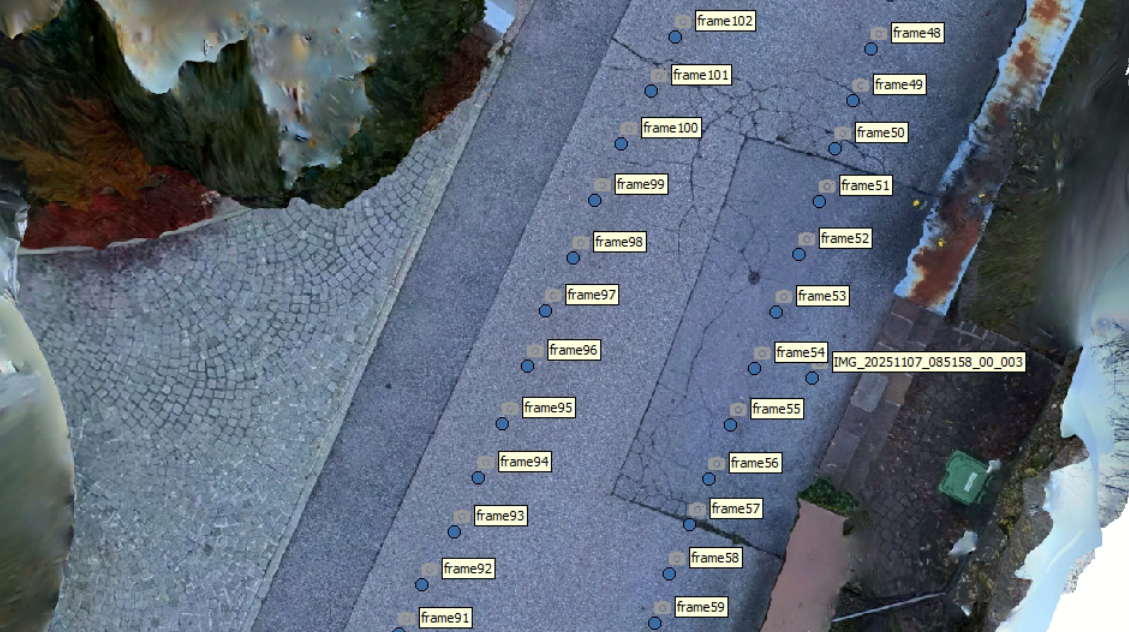
- Resulting Orthophoto
Was this article helpful?
That’s Great!
Thank you for your feedback
Sorry! We couldn't be helpful
Thank you for your feedback
Feedback sent
We appreciate your effort and will try to fix the article